Solar plant alarm management
Know within minutes when a plant trips or goes quiet.
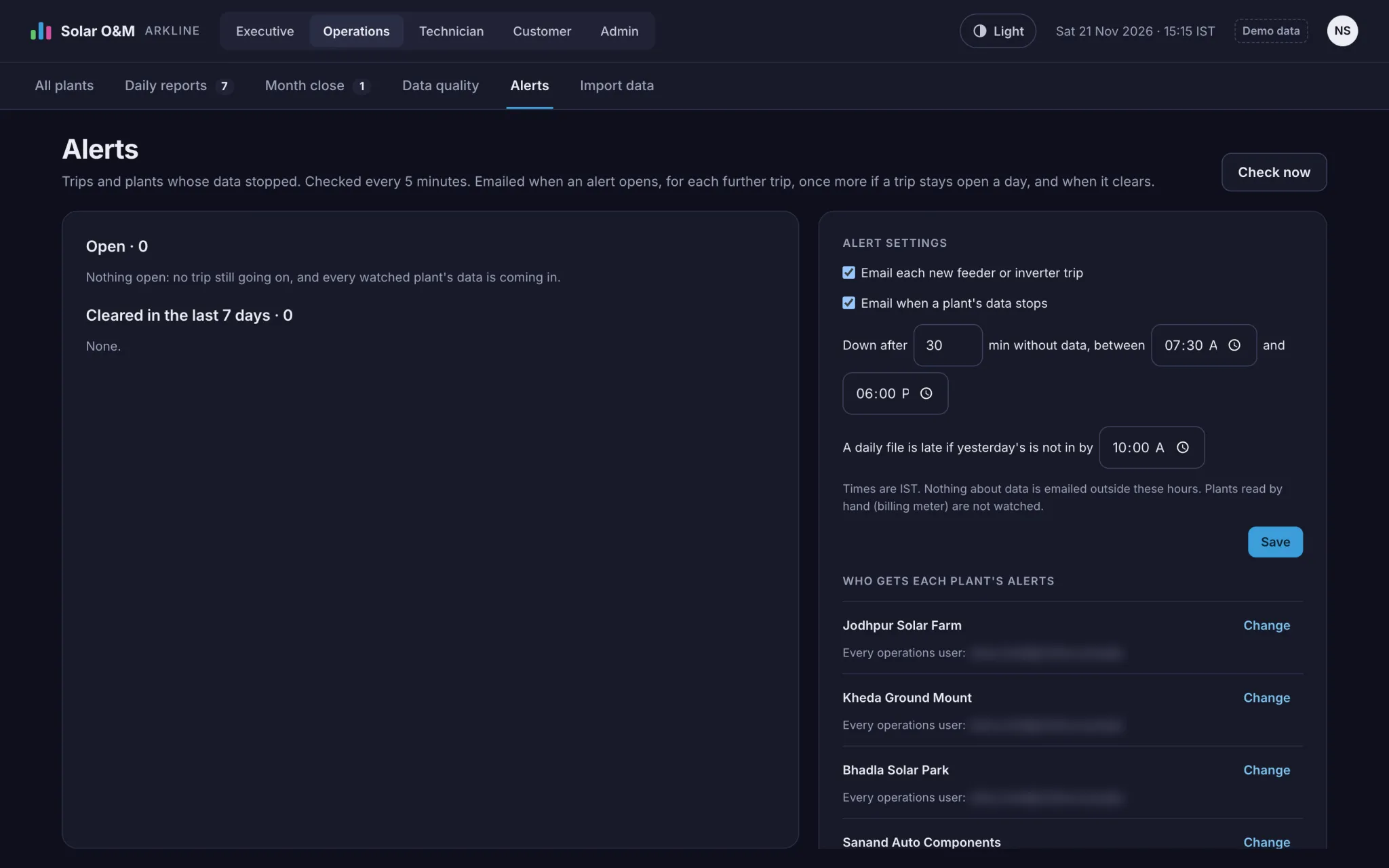
HKDataCrest Solar raises the two alerts an O&M team cannot miss: a trip, when a feeder or inverter trip is logged at the plant, and SCADA down, when the plant's data stops coming. Alerts reach the people chosen for each plant by email, in the app and as a phone notification. An alert stays open until every trip in it has an end time, or the missing data arrives.
The problem
A trip at 11 in the morning, noticed at 5 in the evening.
The SCADA alarm list scrolls with hundreds of minor events, so the one that matters gets missed. Or the data link drops, the portal shows a flat line, and nobody can tell a dead plant from a dead modem. Either way, the loss is found in the next day's report, when the sun has gone.
What it does
Two alerts, done properly.
-
Trip alerts
A feeder or inverter trip logged at the plant opens the plant's trip alert. More trips while it is open join it, each with its own message.
-
SCADA-down alerts
A live plant with no reading for a set number of minutes in daylight, or a daily-file plant whose file is overdue, opens a SCADA-down alert.
-
The right people per plant
Choose who hears about each plant. With no choice made, every active operations user does. Customers can be added and get their own wording.
-
Phone, app and email
A phone notification, the bell in the app, and email. Quiet hours hold back non-critical phone alerts; critical ones still go.
Built not to cry wolf
One open alert per plant and kind.
Alert fatigue kills alerting. So a plant has at most one open trip alert and one open SCADA-down alert at a time. New trips join the open alert rather than starting a new storm.
Alerts are checked every 5 minutes. If the alert service itself was down for a day, it does not flood the team with yesterday's trips when it comes back.
A trip still open after 24 hours gets one reminder. When it ends, a resolved message closes the loop. For grid trips, the message says when the export meter showed power again, so nobody has to guess whether the grid was really down.
How it works
From the trip to the fix.
Detect
Every 5 minutes, each plant is checked for new trips and for data that has stopped.
Tell
The people set for that plant get a phone notification, the in-app bell and an email.
Act
A ticket is raised and assigned to the site technician, who sees it on the phone.
Close
The alert resolves when every trip has an end time or the missing data is in.
Questions
Alert questions.
What counts as SCADA down?
For a plant on a live feed: no reading for a set number of minutes during daylight hours. For a plant that sends a daily file: the file for the day due has not arrived by its due time. Plants read by hand are not watched this way.
Will my team be flooded with alerts?
No. Each plant has at most one open alert of each kind, new trips join it, and old trips are never sent after an outage of the alert service.
Can our customers get alerts too?
Yes, if you choose them for a plant they hold. They get a message worded for a customer, and only for their own plants.
Do alerts come by SMS or WhatsApp?
Not today. Alerts go by phone notification, the in-app bell and email. Email is the fallback when someone has no phone set up.
What about every inverter alarm code?
Trips and data loss are what the team is alerted on. Detailed fault codes are kept against the inverter for diagnosis, so the alert list stays short.
Start with whatever is easiest
Tell us what's slowing your business down.
Three easy ways in. All free, all answered by the people who would do the work.
Book a 30-minute call
Talk it through with us. You leave knowing whether a pilot makes sense and what it would cover.
Get a free data check
Send us one export, such as sales, stock or orders. Within 2 working days we send back 3 things we'd fix.
How it worksSend a short note
Three quick questions: what you do, what's not working, and how to reach you.
Write to us